API: Barcode Generator
Make sure to read the API Overview before reading this document. Note: The API URL for generating barcodes is different from the normal API URL.
Generating a Barcode
Required Variables
| Variable | Description |
|---|---|
| section | Must be set to barcode. |
| action | Must be set to generate. |
| api_key | Must be set to your unique API key. |
| value | A string which specifies your desired barcode value. Must be 500 characters or less; a longer value is rejected. |
Response
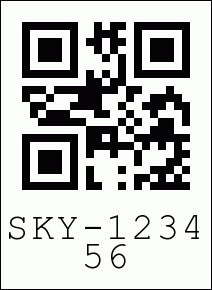
If your API request is successful we will respond with the raw barcode image (not XML).
Success Example:
If the API request fails we will respond with XML.
Failure Example:
<?xml version="1.0" encoding="UTF-8"?>
<xml>
    <status>0</status>
    <error code="120">Invalid section parameter</error>
</xml>
Generating a Branded Barcode (Paid Plans Only)
Required Variables
| Variable | Description |
|---|---|
| section | Must be set to barcode. |
| action | Must be set to generate. |
| api_key | Must be set to your unique API key. |
| value | A string which specifies your desired barcode value. Must be 500 characters or less; a longer value is rejected. |
Optional Variables
| Variable | Description |
|---|---|
| size | An integer between 1 and 10 which specifies the dimensions of your barcode in 50px increments. (Examples: 1 = 50px, 2 = 100px, 10 = 500px). |
| valuesize | An integer between 1 and 10 which specifies the size of the barcode ID text. The default value is 4. |
| valueposition | Specifies whether to place the barcode ID above or below the barcode itself. You can input either top or bottom. If this parameter is not set, the default value is bottom. |
| hideframe | When set to 1 it hides the the black frame around the barcode that is present by default. |
| hidevalue | Hides the Barcode ID text if set to non-null value. If left empty or set to 0, the barcode ID is visible. |
| text | Specifies the custom text you would like to place below the barcode. |
| textsize | An integer between 1 and 30 which specifies the pixel height of the custom text below your barcode. (Sizes 8-16 recommended). |
| textalignment | The alignment of the custom text below your barcode. Input L for left-aligned text, C for center-aligned and R for right-aligned. Text is left-aligned by default. |
| logo | The image you would like placed near the barcode. You can post it as a file or specify a URL. Supported file types: GIF, JPG and PNG. |
| logoposition | The position of your custom image in relation to the barcode. You can input top, bottom, left, and right. Set to top by default. |
| filetype | The desired file type of your outputted barcode. You can input either JPG, PNG or GIF. Set to PNG by default. |
| errorcorrection | The desired error correction level of your barcode. Barcodes with lower error correction can be scanned more rapidly, while barcodes with higher error correction can be read even if sections of the code are damaged or missing. You can input either L, M, Q or H. The default value is L. Learn more here. |
| barcodetype | The desired format of your outputted barcode. You can input either qr or pdf417. Set to qr by default. |
Response
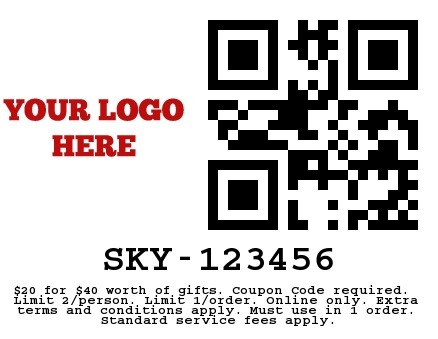
If your API request is successful we will respond with the raw barcode image (not XML).
Success Example:
If the API request fails we will respond with XML.
Failure Example: